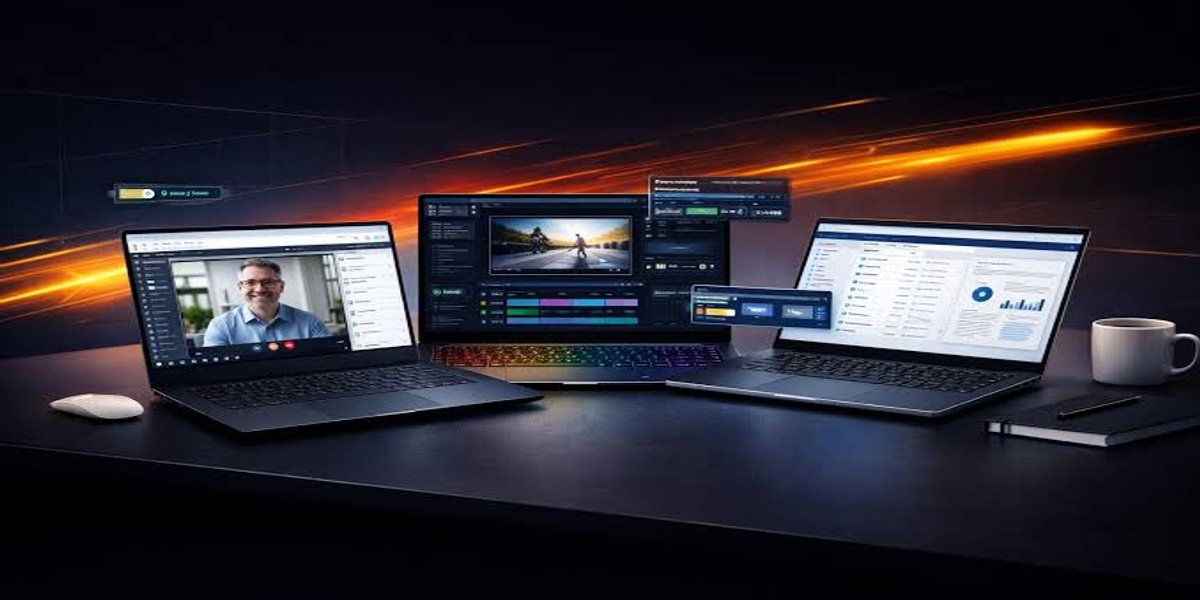
Choosing the best computer in 2026 can feel overwhelming because there are hundreds of models available. Whether you’re a student, office worker, gamer, content creator, or business owner, selecting the right computer can improve your productivity and save money in the long run.

Modern computers are faster, more energy-efficient, and packed with AI-powered features that make everyday tasks easier. The key is choosing a system that matches your specific needs instead of buying the most expensive model.
In this guide, we’ll explore the top 10 best computers of 2026, explain what makes them special, and help you decide which one is worth your investment. Recent expert testing highlights strong options across different categories rather than one computer being best for everyone.
Why Choosing the Right Computer Matters
A computer isn’t just a device—it’s an investment.
The right computer can help you:
- Complete work faster
- Handle multitasking smoothly
- Run demanding software
- Enjoy gaming without lag
- Edit videos and photos efficiently
- Last for several years without upgrades
Buying the wrong computer often results in slow performance, limited storage, and frequent frustration.
Top 10 Best Computers in 2026
1. Apple iMac M4
Best For: Everyday users and professionals
The Apple iMac M4 continues to be one of the best all-in-one desktop computers. It combines excellent performance with a stunning Retina display and an elegant design.
Key Features
- Apple M4 Processor
- 24-inch Retina Display
- Excellent battery-efficient performance
- Quiet operation
- macOS ecosystem
Pros
- Beautiful display
- Fast performance
- Premium build quality
Cons
- Limited upgrade options
- Higher price
2. Apple Mac Mini M4
Best For: Students and home offices
If you already own a monitor, the Mac Mini M4 offers incredible value.
Why users love it:
- Compact design
- Powerful processor
- Affordable compared to iMac
- Energy efficient
3. Dell Tower Plus
Best For: Office work and multitasking
Dell continues to build reliable Windows desktops with excellent upgrade possibilities.
Highlights include:
- Intel Core Ultra processors
- Expandable RAM
- Fast SSD storage
- Multiple USB ports
4. HP OmniStudio X
Best For: Creative professionals
This all-in-one desktop offers:
- Large color-accurate display
- Powerful graphics
- Premium speakers
- Excellent productivity features
Perfect for:
- Graphic designers
- Video editors
- Content creators
5. Alienware Area-51
Best For: Gaming
If gaming is your priority, Alienware remains one of the strongest choices.
Features include:
- Latest NVIDIA graphics
- High-end processors
- Advanced cooling
- RGB lighting
Ideal for:
- 4K gaming
- Streaming
- VR experience
6. Framework Desktop
Best For: Upgradability
Framework has changed the desktop market by focusing on repairability and modular upgrades.
Advantages:
- Easy repairs
- Replaceable components
- Sustainable design
- Long lifespan
7. Lenovo Think Centre
Businesses love Think Centre desktops because of:
- Reliability
- Security features
- Quiet operation
- Excellent support
Perfect for offices.
8. ASUS ROG Gaming Desktop
A fantastic gaming machine offering:
- Powerful RTX graphics
- Excellent airflow
- High-speed SSD
- Plenty of RAM
Ideal for gamers and streamers.
9. Acer Aspire Desktop
For users on a budget, Acer Aspire provides:
- Good everyday performance
- Affordable pricing
- Compact design
- Easy setup
Ideal for students and families.
10. HP Pavilion Desktop
HP Pavilion remains one of the most popular home computers because it offers:
- Reliable performance
- Good value
- Modern design
- Easy upgrades
Perfect for web browsing, office work, and online learning.
What to Consider Before Buying a Computer
Processor (CPU)
The processor is the brain of your computer.
Choose:
- Intel Core Ultra
- AMD Ryzen 7 or Ryzen 9
- Apple M4
These processors deliver excellent performance for modern workloads.
RAM
Minimum recommendations:
- 8GB – Basic use
- 16GB – Recommended
- 32GB+ – Professional editing and gaming
Storage
Choose SSD storage instead of HDD.
Recommended:
- 512GB SSD
- 1TB SSD for creators and gamers
SSD drives are significantly faster than traditional hard drives.
Graphics Card
If you’re only browsing the internet or using Microsoft Office, integrated graphics are enough.
For gaming or editing, choose:
- NVIDIA RTX series
- AMD Radeon series
Display
Look for:
- Full HD minimum
- 2K or 4K for creative work
- IPS panel
- Anti-glare screen
Desktop vs Laptop
Desktop Advantages
- More powerful
- Easier upgrades
- Better cooling
- Longer lifespan
Laptop Advantages
- Portable
- Battery powered
- Lightweight
- Great for travel
Choose based on how and where you’ll use your computer.
Best Computer for Different Users
Students
- Mac Mini M4
- Acer Aspire
- HP Pavilion
Office Professionals
- Dell Tower Plus
- Lenovo ThinkCentre
Gamers
- Alienware Area-51
- ASUS ROG
Graphic Designers
- Apple iMac M4
- HP Omni Studio X
Video Editors
- Apple iMac M4
- Framework Desktop
Tips to Keep Your Computer Fast
To maintain performance:
- Keep your operating system updated.
- Remove unused software.
- Use antivirus protection.
- Clean temporary files regularly.
- Back up important data.
- Ensure proper airflow to prevent overheating.
Regular maintenance helps extend the life of your computer and keeps it running efficiently.
Final Thoughts
The best computer in 2026 depends on your needs and budget. Students may prefer affordable desktops like the Acer Aspire or HP Pavilion, professionals can benefit from the Dell Tower Plus or Lenovo Think Centre, while gamers and creators should consider high-performance systems like the Alienware Area-51 or Apple iMac M4.
Instead of focusing only on price, compare the processor, RAM, storage, graphics, and future upgrade options. A well-chosen computer can deliver reliable performance for years, making it a smart long-term investment.